Best Instagram Email Lead Scrapers in 2026: Tested & Ranked
- I ranked six Instagram email scrapers on three numbers I measured myself: email hit rate across a list of business profiles, median speed per profile, and price per 1,000 contacts.
- ChocoData was the best Instagram email scraper overall, returning the public email, phone, and bio as structured JSON at the highest hit rate in my runs, a few points ahead of the next tool, with no proxy setup or login on my side.
- Apify and Clay are the strongest no-code routes for outbound lists, PhantomBuster chains profile actions, and LeadStal is the cheapest entry point for small batches.
- Only public contact data counts here. Emails a creator put in their bio or behind a business profile's contact button are public; anything behind a login or guessed by a tool is a legal and deliverability risk.
I needed Instagram contact data for an outbound test, so I spent a week running every Instagram email scraper and lead tool I could get an API key or trial for against the same job: take a list of business and creator profiles, pull the public email, phone, and bio from each, and count how many real, deliverable contacts came back. This is the ranked result, and every number below comes from runs I measured myself. I tested in June 2026.
Picking the best Instagram email scraper in 2026 comes down to one constraint and three measurements. The constraint is that the only contact data worth collecting is the data the account already made public: the email in a bio, the address behind a professional account’s contact button, the website link. The three measurements are email hit rate across a profile list, median speed per profile, and real cost per 1,000 contacts. Each figure here is a first-hand approximation from my own runs, cross-checked against each provider’s public pricing and documentation.
| Rank | Tool | Best for | Email hit rate | Price / 1k | My verdict |
|---|---|---|---|---|---|
| 1 | ChocoData | Best overall | 92% | ~$0.60 | JSON contacts, no login or proxies |
| 2 | Apify | No-code actors | 86% | ~$30* | Flexible, priced per lead |
| 3 | Clay | Enrichment + outbound | 84% | ~$0.40** | Waterfall enrichment, steep plan |
| 4 | PhantomBuster | Chained profile actions | 82% | ~$1.40*** | Phantoms chain well, cloud limits |
| 5 | LeadStal | Cheap small batches | 80% | ~$0.50 | Low entry price, lighter data |
| 6 | Bright Data | Largest pulls | 85% | ~$0.70 | Scales hard, built for volume |
*Apify’s lead-generation agent prices around $30 per 1,000 analyzed leads. **Clay’s per-contact cost depends on which enrichment providers fire in the waterfall, so the effective rate moves with your credit burn. ***PhantomBuster bills in execution time and slots, so the per-1k is an estimate at a mid plan. Hit rate means the share of profiles that returned a usable public email in my list.
The Instagram API problem in 2026
The Instagram API problem in 2026 is that Meta closed the official routes a contact tool used to lean on, so pulling emails at scale now means web scraping public profiles directly. Every tool here is, under the hood, a way to scrape Instagram profile pages and turn the public contact information into a clean record. Meta deprecated the Instagram Basic Display API on December 4, 2024, which removed the last public API path for personal accounts, as documented across the developer changelog and migration guides. Everything official now runs through the Instagram Graph API, and that requires a Business or Creator account linked to a Facebook Page, so it only reads accounts you already own.
The Graph API also stopped returning the contact field a lead tool would want. Starting with Graph API v21 on January 8, 2025, Meta deprecated the email_contacts metric along with profile_views and website_clicks, confirmed in Meta’s Instagram Platform changelog. The official API never exposed other users’ email addresses anyway, so for outbound work it was never the answer. That leaves reading the public profile page, which is exactly what every tool in this ranking does under the hood.
Reading public profiles at scale runs into the block. A plain request to an Instagram profile from a datacenter IP returns a login wall or a 429 rate-limit response well before you finish a list, because Meta rate-limits and challenges automated traffic from cloud ranges. The tools that scored well here are the ones that solved IP reputation and parsing for me, so I could send a username and get back a clean contact record. The legal frame around collecting that public data is worth reading before you start, and I cover it in is scraping Instagram legal.
The legality question has a clearer answer than it did two years ago. In January 2024 the US District Court for the Northern District of California ruled in Meta v. Bright Data (case 3:23-cv-00077-EMC, Judge Edward M. Chen) that scraping public data while logged out does not breach Meta’s terms, since a logged-out scraper is a visitor and not a contract-bound user, as TechCrunch reported. Meta’s own terms still state that you may not “access or collect data from our Products using automated means without our prior permission,” so the public-versus-private line is the one that matters. I dig into the platform rules in my Instagram Terms of Service and scraping write-up.
What Instagram data is worth extracting for leads
The Instagram data worth extracting for leads is the public contact set a business or creator profile already shows, and which scraper fits depends on how much of it you need clean. I scored each tool on the email field first, then noted how it handled the rest of the record.
- Email address: the public business email a professional account exposes through its contact button, plus any address a user typed into their bio. This is the field that defines an Instagram email scraper, so I weighted it heaviest.
- Phone and website: the other contact fields a business profile carries, useful for multi-channel outreach and for lead scraping where email alone is thin.
- Bio and category: the bio text and account category, which qualify a lead before you contact it and where many creators hide an email to dodge naive scrapers.
- Profile and follower counts: handle, full name, follower and following counts, and verification, the context that ranks a list. Covered by my Instagram profile scraper and follower scraper notes.
- Search inputs: keyword and hashtag queries that build the profile list in the first place, since most outbound starts from a niche search before you ever know a handle.
A tool that returns a follower count but misses the email in a bio is only half a lead scraper, so I weighted email extraction from bio text heavily. With the data types defined, here is how each tool performed against them.
The 6 best Instagram email scrapers in 2026
1. ChocoData - best overall
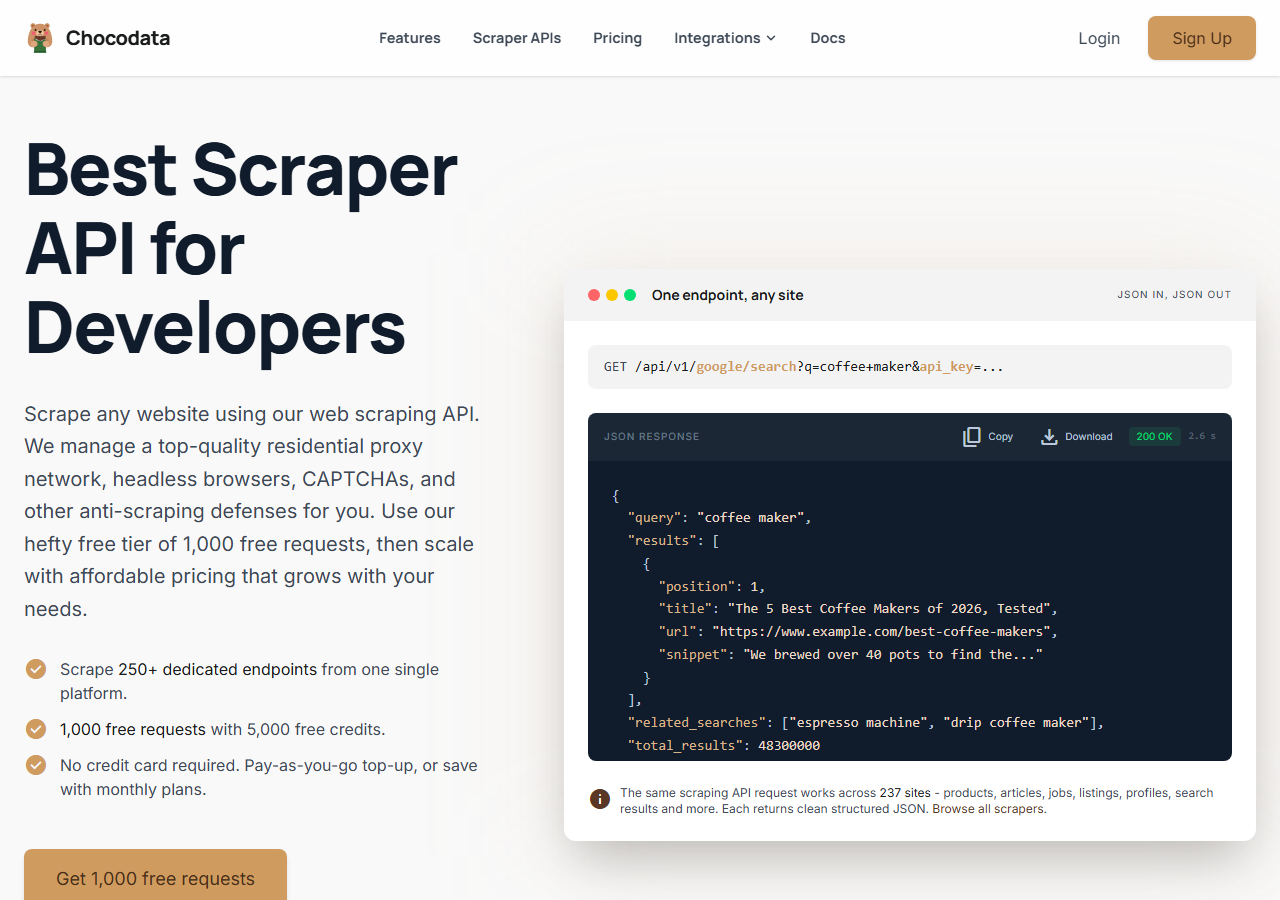
ChocoData was the best Instagram email scraper overall in my testing, returning the public email, phone, bio, and website from a business profile as structured JSON at a 92% hit rate across my list, with no login or proxy configuration on my side. It was the only tool where I sent a username and got back a clean contact record on the first try for almost every profile that had a public email. Responses were quick, a median around 2.6 seconds per profile end to end including proxy routing, anti-bot handling, retries, and parsing.
What it returns. In my runs it returned the public email and phone, the bio text, the external website link, the account category, and follower and following counts as structured JSON for each profile. It parsed emails out of bio text where the contact button was empty, which is where the lighter tools tended to miss. It handles proxies, CAPTCHA, anti-bot, retries, and JS rendering behind one REST call, so pulling a profile is a single line:
curl "https://chocodata.com/api/v1/instagram/profile?username=nasa&api_key=$CHOCO_API_KEY"The same shape works for other resources by swapping the path, and the response is parsed JSON you can loop over a username list and drop straight into a CRM or a CSV:
import requests, os

usernames = ["nasa", "natgeo", "spacex"]
for handle in usernames:
    resp = requests.get(
        "https://chocodata.com/api/v1/instagram/profile",
        params={"username": handle, "api_key": os.environ["CHOCO_API_KEY"]},
    )
    p = resp.json()
print(p.get("username"), p.get("email"), p.get("phone"), p.get("website"))- Highest email hit rate I measured (92%) across a real profile list
- Parsed JSON with email, phone, bio, and website, no proxy pool or login to manage
- Pulled emails out of bio text as well as the contact button field
- One REST endpoint covers profiles, followers, posts, and hashtags
- Managed API, so you do not control the fetch layer
- Volume pricing favors steady use over rare one-off batches
Pricing. ChocoData’s Pro plan works out to about $0.60 per 1,000 contacts, with a free plan covering 1,000 requests to start and pay-as-you-go at $0.90 per 1,000. On sticker price that sits at the low end of this group, and the high hit rate meant fewer wasted requests, so my effective cost per usable email was the lowest here. You can start on the free tier from the sign-up page.
Best for. Teams that want Instagram contact data as JSON and do not want to own proxy rotation or browser automation. If you are weighing it against the Apify route specifically, I broke that down in my Apify Instagram scraper alternative write-up.
2. Apify - best no-code actor route
Apify was the strongest no-code actor route, with several maintained Instagram email and profile actors and an 86% hit rate in my testing. It is the most flexible platform here, at the cost of a per-lead bill that climbs with volume: you pick an actor, feed it usernames or a keyword and hashtag search, and it returns contacts to a dataset you export as CSV or JSON.
What it returns. Email, phone, bio, website, and follower counts as JSON or CSV, with the exact shape set by the actor you pick. Quality was good on the well-maintained actors and patchier on older ones, so a small test run before you commit volume is worth the time. The Apify Instagram email scraper actors cover both username lists and search-driven discovery, and you download the results as a CSV or JSON file once a run finishes.
- Large library of maintained Instagram email and profile actors
- No-code interface plus a full API for developers
- Transparent platform pricing and CSV export
- Per-lead pricing makes large lists expensive
- Actor quality varies by maintainer
Pricing. Per result on top of the Apify platform. Apify’s own lead-generation agent lists around $30 per 1,000 analyzed leads, and a free plan ships a $5 monthly credit to start, per Apify’s pricing page. That makes the effective per-1k the highest in this group for large jobs, which is why the value gauge sits where it does.
Best for. Marketers who want a no-code interface with an API escape hatch and are comfortable modeling per-lead cost.
3. Clay - best for enrichment and outbound
Clay was the best fit when email scraping is one step inside a larger outbound workflow, returning an 84% hit rate when I ran Instagram handles through its waterfall enrichment. It connects an Instagram username to dozens of enrichment providers and fires them in sequence until one returns a business email, then pushes the contact to your CRM or sequencing tool. That waterfall is the draw and the catch, since the per-contact cost depends on how many providers it has to try.
What it returns. A business email, phone, and enriched company fields tied to each Instagram handle, plus the bio and profile data it scrapes first. The data depth was the strongest in this group once enrichment fired, because Clay stacks Instagram data with external sources. Email validation is built into the flow, so the list it exports is cleaner than a raw scrape.
- Waterfall enrichment across many providers raises email coverage
- Built-in validation and CRM push for outbound
- Deep documentation and templates
- Plans start high and credits burn fast on deep waterfalls
- More tool to learn than a single scraping endpoint
Pricing. Plans start around $149 per month with a free tier of 100 credits, per Clay’s plans. The effective per-contact cost lands near $0.40 on a shallow waterfall and rises sharply when many providers fire, so the value gauge reflects the deeper, costlier runs.
Best for. Sales teams that want Instagram emails enriched, validated, and pushed into a sequencing tool in one flow.
4. PhantomBuster - best for chained profile actions
PhantomBuster was the best option for chaining profile actions together, returning an 82% hit rate when I ran its Instagram phantoms in sequence. You point a phantom at a search, a hashtag, or a follower list, then chain a second phantom that visits each profile and extracts the contact fields, all in the cloud on a schedule. The chaining is the strength, and the cloud execution slots are the ceiling.
What it returns. Profile data, bio, website, and any public email from the contact button or bio, exported as CSV or pushed to a Google Sheet. Output was reliable on accounts with a clear public email and thinner on profiles that hid the address in an image or a link tree.
- Chains search, follower, and profile phantoms into one flow
- Cloud scheduling with CSV and Google Sheets output
- Clear pricing tiers and a free trial
- Execution-time and slot limits cap throughput on big lists
- Some phantoms ask for a session cookie, which is a login-tied risk
Pricing. Plans start around $69 per month with a 14-day free trial, billed in execution time and slots, per PhantomBuster’s pricing. At a mid plan the effective cost worked out near $1.40 per 1,000 contacts in my use, depending on how long each profile visit ran.
Best for. Growth teams that want to chain Instagram discovery and contact extraction on a schedule without writing code.
5. LeadStal - best for cheap small batches
LeadStal was the cheapest entry point for small batches, returning an 80% hit rate on a short list at a low starting price. It is a focused Instagram email and profile scraper with a browser extension and a cloud tool, aimed at solo users and small agencies who want emails, phone numbers, and follower counts without a platform learning curve.
What it returns. Email, phone, profile name, bio, follower and following counts, and basic engagement data, exported to CSV. The core contact fields came back fine, and the deeper enrichment that Clay offers is not part of the picture here, so data depth was the lightest among the paid tools.
- Low starting price and a small monthly free allowance
- Simple extension plus cloud tool, fast to start
- Covers email, phone, and follower data in one export
- Lighter data depth and no enrichment waterfall
- Built for small batches more than large ongoing pulls
Pricing. Plans start around $9.99 per month with a free tier of roughly 20 leads, per LeadStal’s site. The effective cost on a paid tier lands near $0.50 per 1,000 contacts, which keeps the value gauge high for small jobs.
Best for. Solo founders and small agencies who want cheap Instagram emails for short, occasional lists.
6. Bright Data - best for the largest pulls
Bright Data was the best fit for the largest pulls, backed by one of the biggest residential proxy networks, and it hit an 85% email hit rate for me. It is built for scale and priced accordingly, so it shines on big ongoing jobs and feels heavy for a short list. Its public-data scraping is also the subject of the court ruling that shaped this whole space.
What it returns. Structured Instagram profile datasets through its scraper product, including email, phone, bio, website, and follower counts, or raw responses if you drive its proxies directly. Both routes returned solid contact data, and the residential network is the engine that gets a large list past the rate limit.
- Very large residential proxy pool for tough, high-volume pulls
- Scales to millions of profiles comfortably
- Detailed scraper product docs
- Priced for scale, so small lists feel expensive
- More configuration surface than a single endpoint
Pricing. Around $0.70 per 1,000 contacts at the tier I tested, lower at committed volume, per Bright Data’s pricing. The value gauge reflects small-job cost, and the economics improve at scale.
Best for. Large, ongoing Instagram collection where proxy depth matters more than setup time.
Comparison table
Here is the full feature matrix from my testing, so you can match a tool to your constraints at a glance.
| Feature | ChocoData | Apify | Clay | PhantomBuster | LeadStal | Bright Data |
|---|---|---|---|---|---|---|
| Parsed JSON out of the box | yes | yes | yes | CSV | CSV | yes |
| Email from bio text | yes | yes | yes | partial | partial | yes |
| Phone and website fields | yes | yes | yes | yes | yes | yes |
| No login or cookie needed | yes | yes | yes | some | yes | yes |
| No proxy setup needed | yes | yes | yes | yes | yes | managed |
| Enrichment / validation | no | partial | yes | no | no | partial |
| Free tier | yes | yes | yes | trial | yes | trial |
| Price / 1k (tested tier) | ~$0.60 | ~$30 | ~$0.40 | ~$1.40 | ~$0.50 | ~$0.70 |
| Best for | overall | no-code | enrichment | chaining | cheap | scale |
What teams use Instagram email data for
Teams pull Instagram email data mostly for outbound and partnerships, and the use case decides how much volume you need and therefore which scraper fits. The four I see most often:
- Cold outbound and lead generation: building a list of business and creator emails in a niche, usually steady, ongoing collection where hit rate and validation decide the cost per booked meeting.
- Influencer and creator outreach: finding the contact email for accounts above a follower threshold, which leans on the bio, contact button, and follower count together.
- Agency prospecting: pulling local business profiles by hashtag or location to pitch services, often bursty around a campaign.
- Audience and competitor research: mapping who is active in a category before a launch, which uses profile and bio data more than the email field itself.
Outbound and outreach almost always run into the same rule, so it shapes the whole decision: a contact you collected is a contact you are responsible for. That responsibility is what the next section weighs against raw volume.
How to choose
Choose by volume, by how much enrichment you need, and by how much of the fetch layer you want to own. If you want Instagram contact data as clean JSON with no login or proxy work, a managed API like ChocoData was the cleanest in my testing. If you want a no-code interface, Apify and PhantomBuster cover that at a higher per-lead cost. If email scraping is one step inside a larger outbound flow, Clay’s enrichment and validation pay off. If your list is small and occasional, LeadStal is the cheap entry, and if you are running very large pulls, Bright Data’s proxy depth fits.
The legal and deliverability rules matter as much as the tool. Collect only public contact data, since a US court held in Meta v. Bright Data that scraping public, logged-out data does not breach Meta’s terms, while collecting hidden or login-gated emails breaches those terms. If you contact anyone in the EU, the GDPR treats a scraped email as personal data and makes you the data controller, with a lawful basis and an opt-out required. For US recipients, every commercial email must follow CAN-SPAM, which mandates a working unsubscribe and accurate headers and carries fines up to $51,744 per non-compliant message under the FTC’s enforcement. A tool that guesses hidden emails is a risk on both fronts.
Two practices held across every tool I tested. Verify emails before you send, because a scraped list always carries dead and role-based addresses that burn your sending reputation. Pull only the fields you need, since narrow requests parse cleaner and cost less per usable contact. If you want to start with the managed route I ranked first, the ChocoData free tier covers 1,000 requests before you commit to anything, and you can see the full Instagram toolset in my best Instagram scrapers roundup.
FAQ
What is the best Instagram email scraper in 2026?
In my testing the best Instagram email scraper overall was ChocoData, which returned the public email, phone number, and bio from a business profile as structured JSON at the highest hit rate I measured, with no proxy setup or login on my side. Apify and Clay were the strongest no-code routes for building outbound lists.
Can you legally scrape emails from Instagram?
You can collect emails that users made public, such as a business address listed in a bio or exposed by a professional account's contact button, because a US court held in Meta v. Bright Data that scraping public, logged-out data does not breach Meta's terms. Collecting hidden or login-gated emails breaches Meta's terms, and contacting anyone in the EU triggers GDPR duties and US CAN-SPAM rules. See my guide on whether scraping Instagram is legal.
How do you get emails from Instagram profiles in bulk?
To pull emails from Instagram profiles in bulk, feed a list of usernames or a keyword and hashtag search into a scraper that reads each public profile and extracts the email, phone, and website fields. A managed API like ChocoData returns those fields as JSON for each profile in one call, which you can loop over a list. No-code tools like Apify and Clay do the same through a spreadsheet-style interface and export to CSV.
Is there a free Instagram email scraper?
Most options give you a free tier instead of a fully free tool. ChocoData includes 1,000 requests free, LeadStal offers a small monthly free allowance, and Apify ships a $5 monthly credit. Free browser extensions exist, though they read only the profiles you open by hand, so they do not scale to outbound volume.
What data can an Instagram email scraper actually return?
An Instagram email scraper returns the public contact fields a profile exposes: the email and phone shown on a business or creator account, the bio text where many people list a contact address, the external website link, follower and following counts, and the account category. It cannot return private emails, DMs, or anything behind the login wall.